7 min read
Shopify's Fall '26 Edition: What Changes for Your Theme, Apps, and Storefront

On October 28, 2026, Shopify released its Fall '26 Edition. Like every Edition, it's a long list, and we read the whole thing so you can skip to the parts that affect your store.
My take after reading it is simple: this release doesn't ask you to rebuild anything. It rewards stores that are already in good shape, with clean product data, a short list of apps, and a theme kept in version control. Product data comes first, because it's what AI agents read when they shop.
ChatGPT and AI shopping agents
AI agents can now shop Liquid storefronts
Store security
Collaboration partners and 3rd party apps that request store access have new security checks.
Theme editor
Merchants also get a new theme architecture built for editing in Canvas.
TLDR: Most of these updates change how others reach your store.
WebMCP makes Liquid storefronts agent-ready by default

Shopify added a set of WebMCP tools to every Liquid storefront and checkout, so browser-based AI agents like ChatGPT, Google's Gemini, Anthropic's Claude, Facebook's Muse, and Grok can shop your store.
Technical details:
The WebMCP tools hand browser-based AI agents structured store data, so they don't have to read screenshots or simulate clicks. With that data an agent can search products, update the cart, and complete checkout once the buyer approves. Shopify says agent checkout runs through the same validation as the checkout page. Hydrogen storefronts get the tools only on current versions that load ShopifyScripts, and agent support is currently limited to Chromium-based browsers.
In plain terms: if you run a Liquid store on Shopify, AI agents can already shop it today, and you don't have to do or build anything. It's a rare new feature that needs nothing from a developer (and I'm choosing not to take that personally...).
What you do control is the quality of the data agents read. Agents work from your product titles, variants, prices, inventory, and media, the same fields your shoppers see. Thin descriptions, inconsistent variant names, and missing images now cost you with agents as well as with shoppers.
Clean, well-structured product data helps agents, search engines, and screen reader users at the same time.
New security checks for collaborator request and 3rd party apps

Collaborator partners and apps have access to your store, through the permissions you grant them. This new release gives you better information about both before you say yes.
For partners: Shopify points to a change from July that adds details to collaborator requests. New requests now show how long the partner's organization has been on Shopify and the country where its account was registered. They also show the country the request came from and an approximate range of how many paid-plan stores the partner works with.
For apps: Shopify added an security check to the Shopify CLI as part of its AI Toolkit. A developer runs one command to look for common vulnerability patterns, such as unauthenticated routes, cross-shop data access, and unverified webhooks. Because the check is a single command: shopify app security check, "I didn't have time" stops being a good answer and it's fair to ask any developer building a custom app for your store whether they've run it.
Read the details on every request before you approve it. A partner that's new to Shopify, or a request from a country you don't expect, is worth a follow up question first.
Shopify's new theme architecture and Canvas
Now that you know exactly who can access your store, the next change is about how your own team edits the store's theme. Shopify is introducing a new theme architecture that changes where a theme keeps each page's layout. Personally, this is the change I was most curious about and will most likely change how I create or update themes and templates moving forward.
Technical detail: A page's layout is the list of sections and snippets to render and their displayed order. In an Online Store 2.0 theme, that layout is saved in a separate JSON file in the template directory. The template only lists the sections and its hardcoded or dynamic content, and specific settings for the section or snippet. The Liquid code that renders each section or snippet lives in another file.
In Shopify's new theme architecture, the layout is written in the Liquid template itself, so a developer sees a page's structure and its rendering code together. Shopify also adds blocks, typed contracts, partial updates, markdown files that guide agents, and built-in Tailwind css styling.
In plain terms: This new architecture keeps each page's structure next to the code that draws it. Shopify says themes built on it are ready for merchants to edit with Sidekick in Canvas.
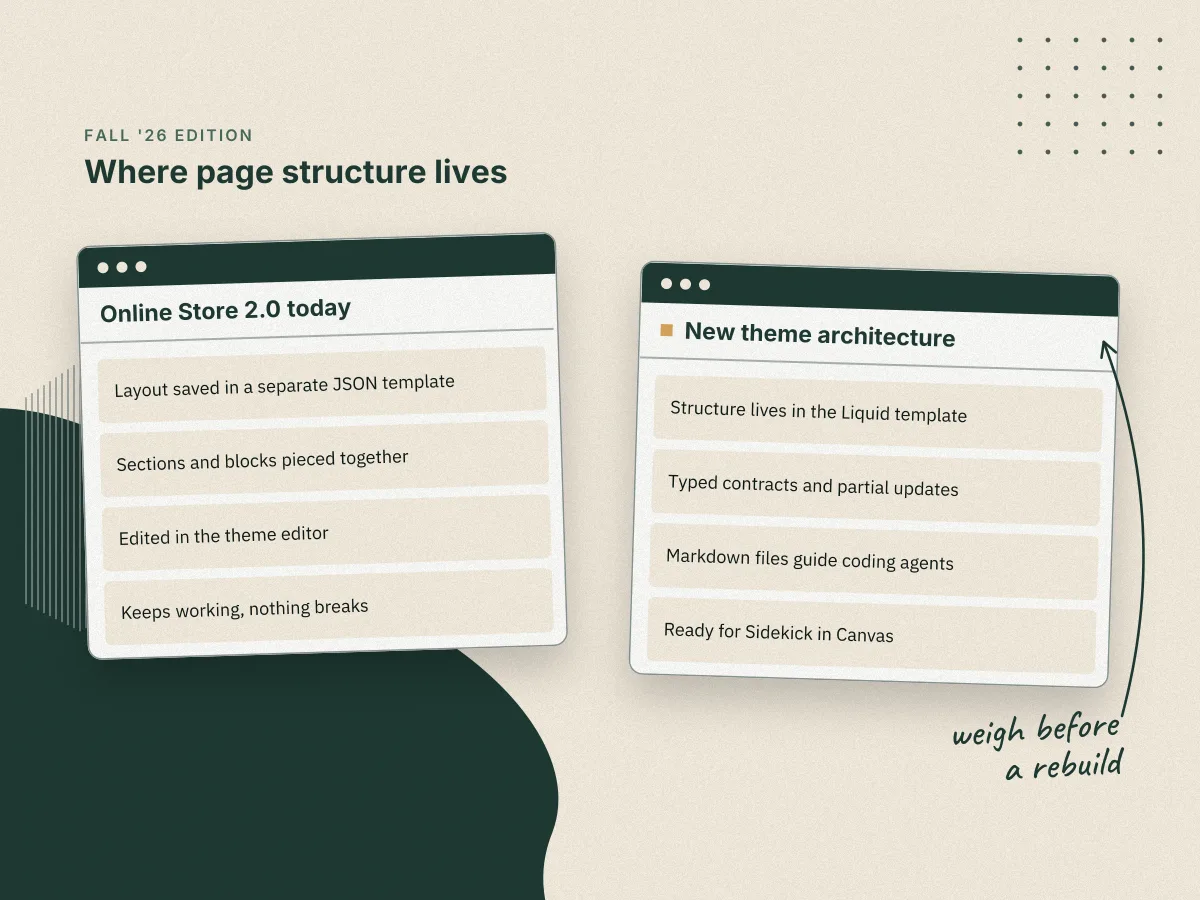
Canvas, announced October 1, is a new design surface where merchants build with Sidekick, Shopify's AI agent. In Canvas, Sidekick works on a render of the store's real theme code. Canvas is in early access and available only to certain stores, and Shopify says it isn't replacing the existing theme editor yet.
For that reason, I wouldn't rush to move your current theme to the new architecture. Shopify hasn't announced a migration timeline, and Canvas is optional, so the existing theme editor still works for your current theme. If you're planning a rebuild in the next year, I'd weigh the new architecture before you commit to the old structure.
Whichever way you go, a theme kept in version control is far easier to move when the time comes. Our Git workflow for Shopify themes shows how we keep custom work separate from vendor updates.
Hydrogen now works with any framework
Hydrogen, Shopify's stack for headless storefronts, was rebuilt and is now generally available. It works with any framework and any runtime, so your team isn't tied to one front end. A headless Shopify build no longer means adopting one prescribed front end along with the commerce layer. Your developers can keep the framework they already know and run it where they already host.
Most growing brands don't need a headless storefront, and I wouldn't move to one because of this release. A Liquid theme already gets the WebMCP tools by default, so AI agents can shop it with no extra work. Going headless to follow an announcement tends to turn into a year of rebuilding a store that already worked. You'd be trading a theme your team can edit today for a custom front end you'd have to build, host, and maintain yourself.
The case is different if your team already has a React or Vue site you want to sell from. The path to adding Shopify commerce is shorter now, because Hydrogen can meet that site where it is instead of asking you to start over on a new framework.
If you run Hydrogen or plan to, check your version. Hydrogen storefronts get the WebMCP tools only on current versions that load ShopifyScripts, so an older headless build won't be agent-ready the way a Liquid store is.
Whichever way you lean, the same groundwork applies. Clean product data and a short app list matter just as much on a headless storefront, and a codebase kept in version control is easier to move if you change direction later.
What can I do this quarter?
Each change above points back to work on your own store, and none of it is a rebuild. I'd take it in this order.
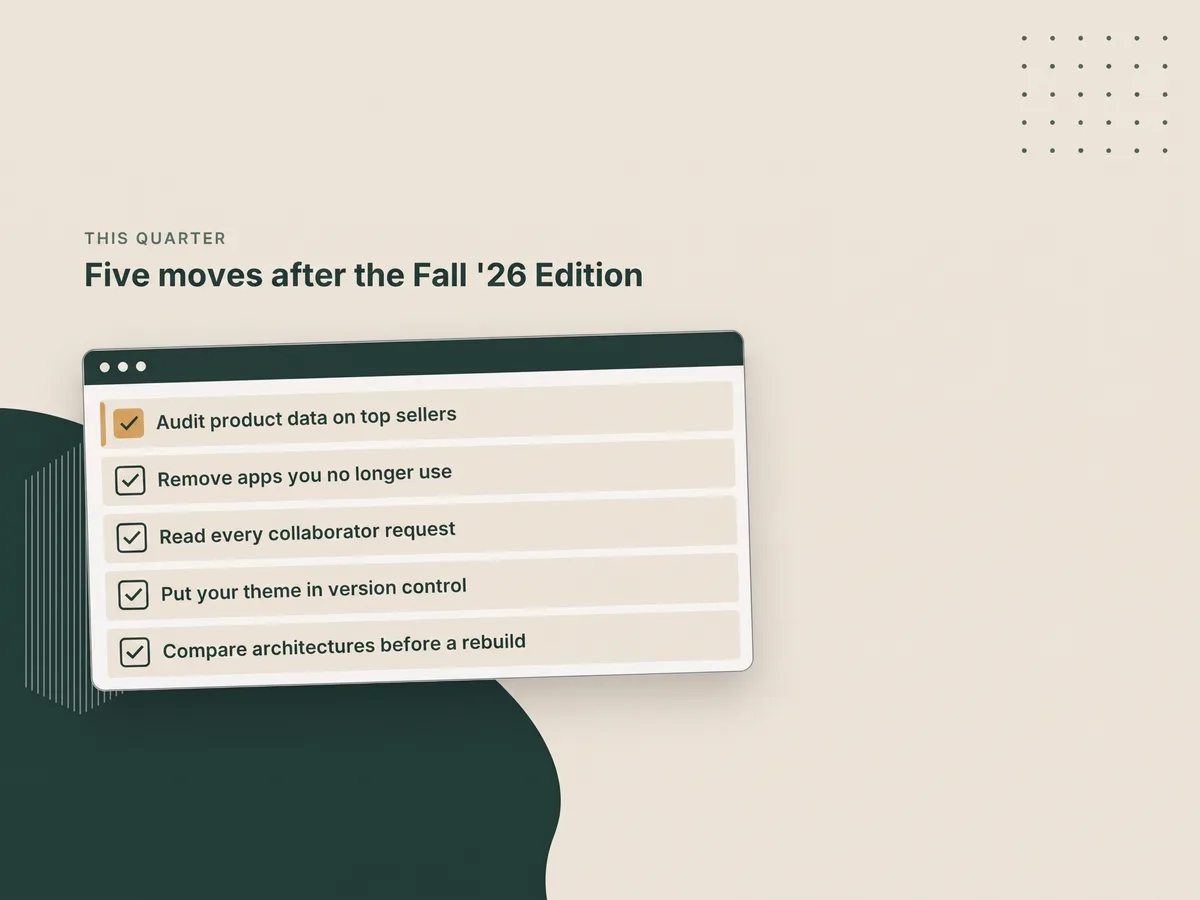
- Audit titles, variant names, prices, alt text, and media on your top sellers, because agents and shoppers read that data first.
- Remove the apps you no longer use, so fewer apps have access to your store and its data.
- Read the new details on each collaborator request before you approve it, so you know which partners you're letting in.
- Put your theme in version control if it isn't there already, so your custom work is tracked before any bigger theme change.
- Compare the new theme architecture with your current theme before a full rebuild, so the rebuild starts on the structure you'll keep.
If your theme has grown past what its settings can handle, our guide to outgrowing your Shopify theme covers when to extend it and when to rebuild.