Stop demand letters
ADA Title III lawsuits target ecommerce more than any other category. Know your exposure before a plaintiff's firm does.
FREE ACCESSIBILITY SCAN · ADA CONFORMANCE FOR YOUR WEBSITE
Your free report usually arrives in about 15 to 30 minutes after you confirm your email.
Optimized for Shopify storefronts but we can scan other sites too.
A verified work email is required.
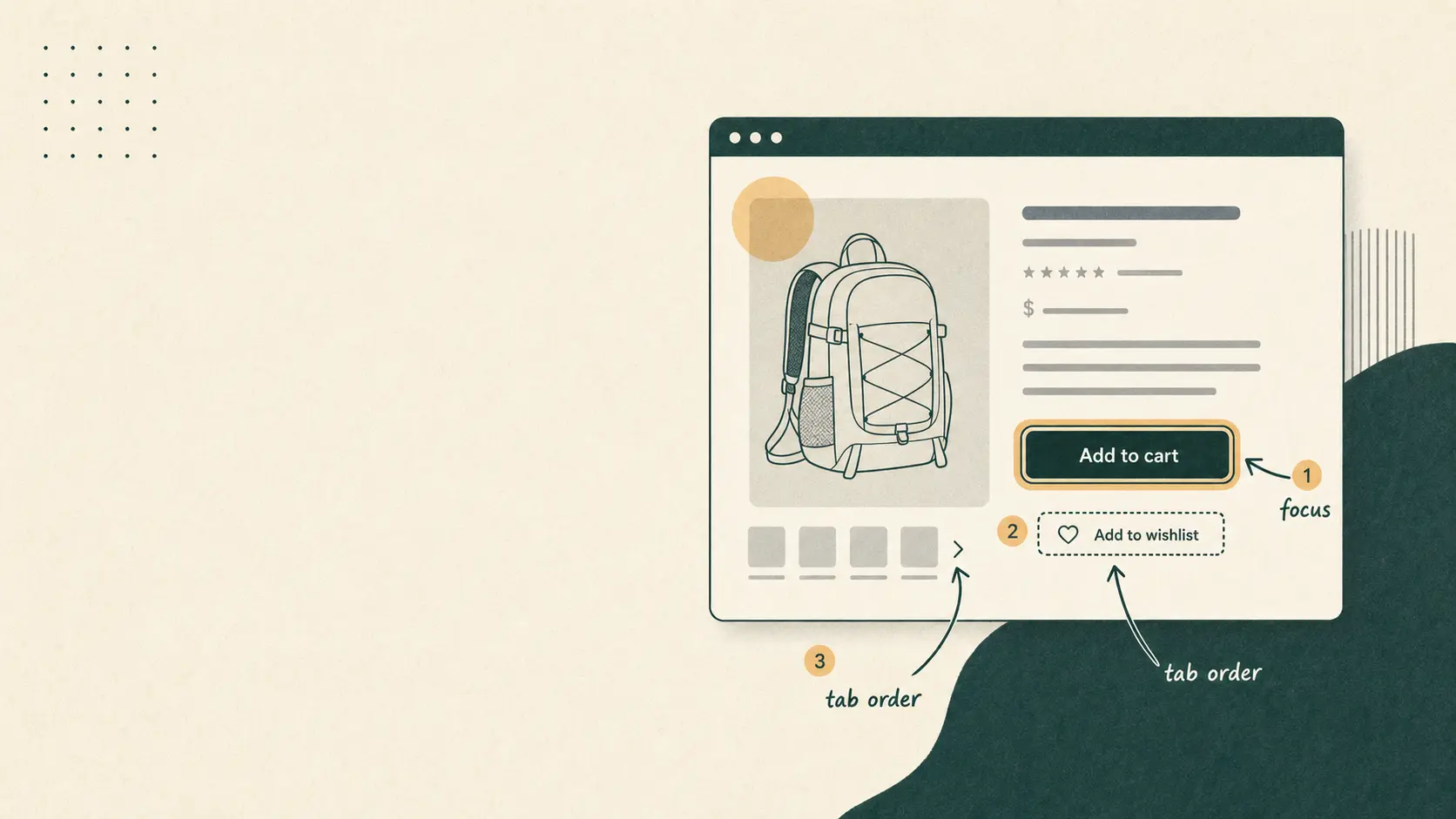
Editorial illustration of a product page with a visible keyboard focus ring on the primary call-to-action button
The standard behind your scan
WCAG stands for the Web Content Accessibility Guidelines, published by the World Wide Web Consortium (W3C).
WCAG is not a law by itself. It is the technical standard U.S. courts and the Department of Justice reference when evaluating whether a website is accessible under ADA Title III. It is also the benchmark in many procurement contracts and settlement agreements. Following WCAG 2.2 AA is the practical way to show you took accessibility seriously.
Our free accessibility scan runs automated axe-core checks in headless Chromium for WCAG 2.0 Level A and AA, WCAG 2.1 Level AA, and selected WCAG 2.2 Level AA rules. Paid audits add manual testing in Chrome with NVDA and Safari with VoiceOver against WCAG 2.2 AA for the rest, because automated tools catch only part of what full conformance requires.
Read the official guidelines at W3C WCAG 2.2.
Federal ADA Title III lawsuits targeting websites have grown every year for the past decade. Shopify storefronts are not exempt, and most accessibility apps in the App Store create more legal risk than they solve.
ADA Title III lawsuits target ecommerce more than any other category. Know your exposure before a plaintiff's firm does.
Shopify stores reuse Liquid templates. One broken add-to-cart form or product layout affects every PDP, so we sample by template type instead of opening thousands of duplicate URLs. Reports separate template-level violations from page-specific ones so you fix shared theme code once.
Accessibility sidebar toggles do not fix your theme code. They have been the subject of their own class-action lawsuits.
Remediation happens in your Shopify theme on a development branch. No scripts pasted in, no apps that make it worse.
Every engagement ships a WCAG 2.2 AA conformance report and a public accessibility statement your legal team can review.
4,000+
ADA Title III website lawsuits filed in the U.S. each year.
~30%
Of WCAG violations automated scanners detect without manual testing.
$0
What an "accessibility overlay" app actually saves you in legal risk.
Statistics based on Seyfarth Shaw ADA Title III tracking and WCAG audit research. We document our sources on every audit we deliver.
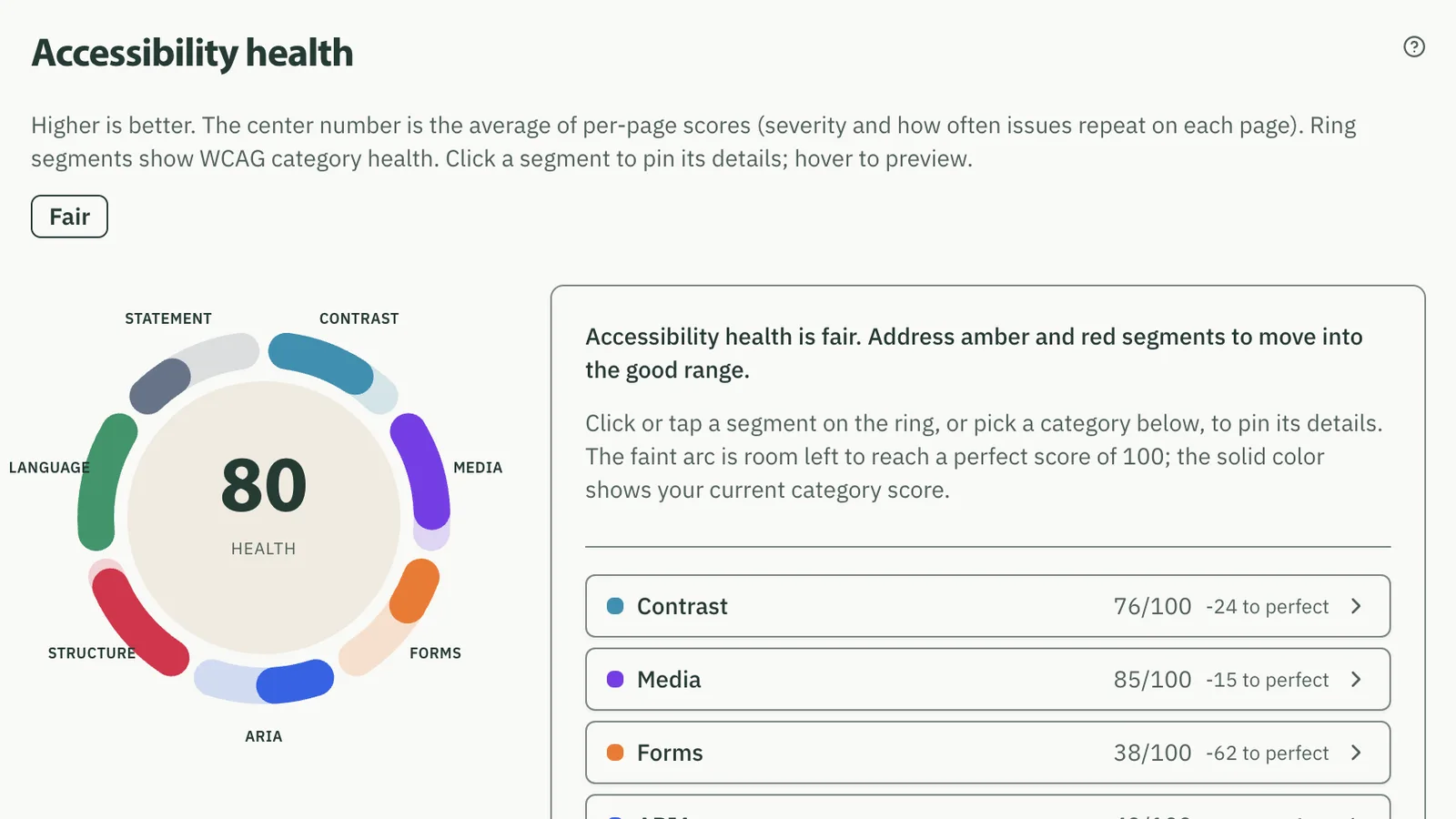
Paste your Shopify store URL. Your report usually arrives in about 15 to 30 minutes and groups storefront findings by template (theme-wide) vs page-specific, including cart UI on scanned pages. Shopify Checkout requires a paid audit. A verified work email is required to run your scan.
Free scan walkthrough
A template-aware sample of up to 100 pages, then a live report you can click through. Demo below uses Tosche Station Outfitters. Typical turnaround is about 15 to 30 minutes after email confirmation.
Step 1 of 4
Same field as the hero. We ask for a work email so the report lands in the right inbox and bots stay out.
Demo animation: the store URL toschestation.example is typed into the scan form, then a work email is entered and confirmed so your report link can be delivered.
Shopify stores reuse Liquid templates. One broken add-to-cart form or product layout affects every PDP, so we sample by template type instead of opening thousands of duplicate URLs. Paid audits add manual testing of cart flows and Shopify Checkout, where URL crawlers cannot go. When your Shopify store is connected, paid scans also inventory every product image alt in admin, not only the product pages Playwright opened.
Template-aware sample
Free scan + audit
Your storefront's repeated Liquid templates, sampled by type: collection, product, blog, account, and landing pages. One broken template affects every page using it, so fixing shared Liquid once clears the whole set.
Key one-off pages
Free scan + audit
Home, cart, search, and contact are opened by URL even when your sitemap leaves them out, plus header and cart UI on every scanned page (drawer, mini-cart, add-to-cart).
Shopify Checkout
Audit (manual)
Platform-governed checkout (Plus: Checkout UI Extensions). Session-gated and not in sitemaps, so we test keyboard and screen reader flows manually, not via URL crawl.
Free accessibility scan
Your free report is a template-aware sample, not a crawl of every URL in your catalog. We open up to 100 pages (always home, cart, search, contact, one collection, and one product page, then more templates) and group findings as theme-wide vs page-specific so you get a prioritized answer without waiting on a full-site run. Shopify Checkout stays out of the free scan; a paid audit covers that path manually.
Are my issues in the theme or on individual pages?
Are my product pages failing contrast or keyboard tests?
Which elements on my storefront are failing WCAG 2.2 AA?
Is my cart drawer and add-to-cart UI failing in the theme?
Are overlay apps making my store less compliant?
Run the free scan and we will answer these for your storefront.
Scan my Shopify storeFind the description that sounds like your situation. Each one links to the tier that fits, with full scope and pricing.
Demand letter or urgent flag
You sound like this
You got a demand letter, your legal team flagged it, or your CEO asked ChatGPT "We got an ADA demand letter for our Shopify store. Who can help me fix this?" last week. Audit and Remediation run as one engagement here, because findings on their own do not reduce your exposure. Monitoring keeps you clean afterward.
Recommended path
Gaps you want to fix on your timeline
You sound like this
You haven't had an issue yet, but you know your store has gaps. You'd rather fix it on your timeline than someone else's. Start with the Audit, then keep a baseline with Monitoring.
Recommended path
These are stages of one process, not plans to choose between. You find the problems, you fix them, then you keep them from coming back.
Most requested path
One contract, one fixed quote after scoping, and one end date. You approve a single number instead of adding two ranges together. If you are answering a demand letter, an audit on its own documents the problems without resolving them, so most of these engagements run straight through both stages.
From $10,500
2 to 11 weeks to documented conformance
Each stage can also be scoped on its own if you already know where you stand.
Step 1
$2,500 to $4,500
Fixed fee in one of three bands, set by the number of templates and interactive components we test.
Automated scan plus manual testing of homepage, product detail pages, collection pages, cart (page and drawer), and Shopify Checkout. Real human review by a Shopify developer, not a sidebar of toggles.
Timeline: 1 to 3 weeks to findings
Step 2
$8,000 to $20,000
Scope-dependent. You get a fixed-price quote from the audit findings, so the number is approved before any work starts.
We fix the audit findings ourselves: code-level changes to your theme, no overlays, no apps that make it worse. Every change is documented, tested, and shipped on a development branch you review before merging.
Timeline: 1 to 8 weeks (depending on severity)
Step 3
$1,200/quarter
Includes 4 hours of remediation work per quarter. Additional hours billed at the retainer rate.
Monthly automated scans keep a running baseline on your storefront, and you can trigger a new scan whenever you want: after every theme deploy, before a launch, or whenever something changes on the site. Diff reports classify new violations as template regressions vs page-specific changes from merchandising or content edits. We catch issues from app installs and theme tweaks before they ship to production.
Timeline: Ongoing, monthly baseline scans
Minimum 1-year commitment.
Already ran the free scan? Here is what happens when you engage us for audit and remediation work.
Currently scanning
Step 02
Automated tooling runs first on your storefront. Then one of our auditors manually tests every flow that matters: keyboard nav, screen reader, focus management, form behavior, cart, and Shopify Checkout. You get a report with severity, location, and fix guidance.
Modals trap focus and restore on close
WCAG 2.4.3 Focus Order (Level A)
Auditor note: Opening the cart drawer from a collection page leaves focus behind the overlay, and closing it does not restore focus to the trigger. No automated rule can see this.
Required fields are indicated beyond color alone
WCAG 3.3.2 Labels or Instructions (Level A)
Auditor note: The contact form marks required fields with color only. There is no text marker and no aria-required.
2 of 32 criteria shown. The full checklist and the auditor notes for every criterion are in the sample engagement.
Step 03
Once we have a remediation plan, we will apply code-level fixes to your theme, on a development branch. We don't install accessibility overlay apps. We don't paste in a script and call it done. Every change gets a Loom walkthrough so your team understands what we did.
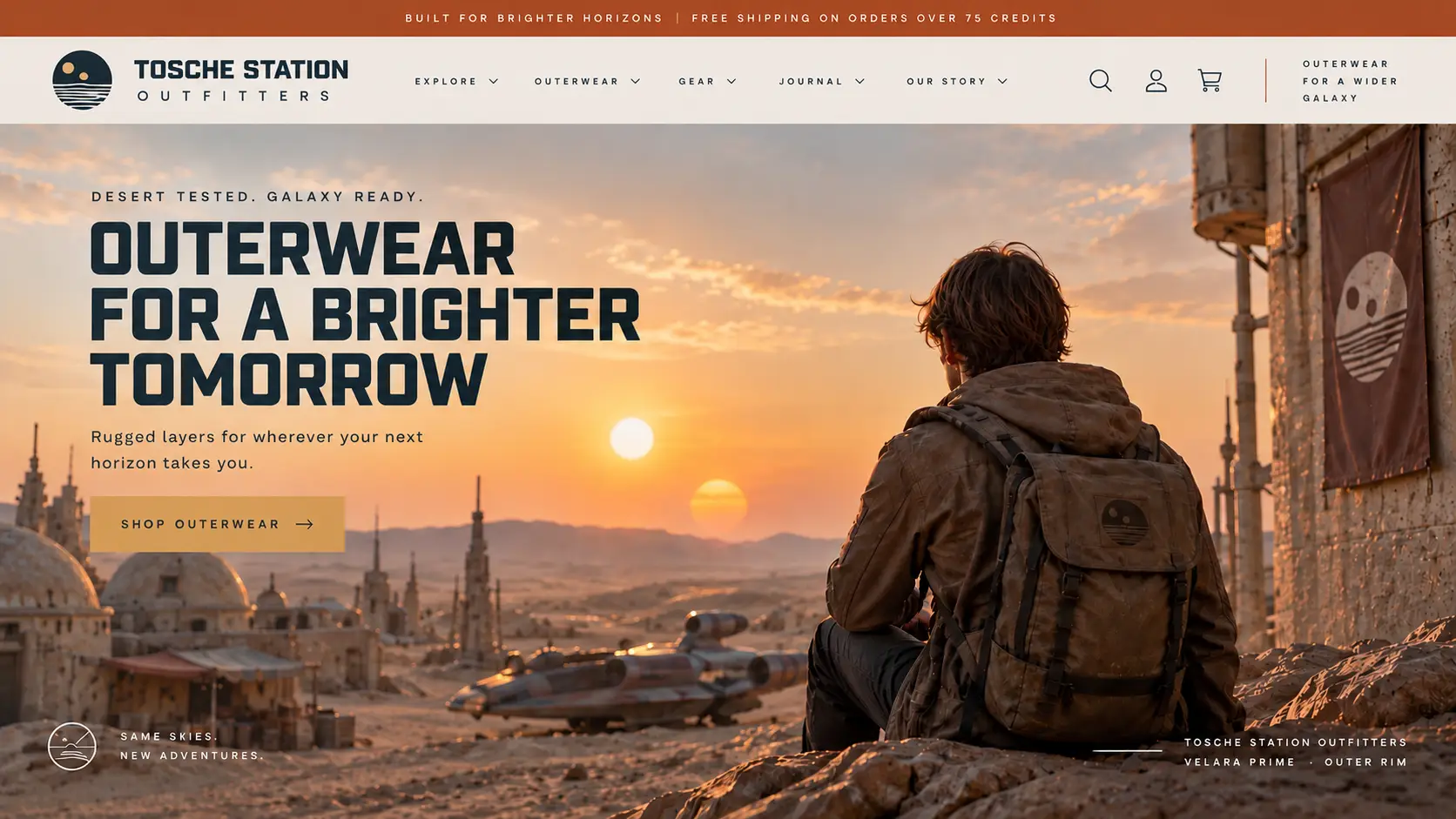
Selector: #shopify-section-template--9876543210__image_banner .hero-banner__media img
Axe: Fix any of the following: Element does not have an alt attribute
<img src="//cdn.shopify.com/s/files/tosche-hero-outerwear.jpg" class="hero-banner__image" loading="eager"><img src="//cdn.shopify.com/s/files/tosche-hero-outerwear.jpg" class="hero-banner__image" loading="eager" alt="Describe this image">Add alt text that describes the image, or alt="" if it is purely decorative.
After patches this flagged element. Replace placeholder values before shipping.
Step 04
After all the fixes are applied, we will help you publish the remediated site. We will also help you with conformance documentation, a published accessibility statement, and anything else your legal team needs to review.
Step 05
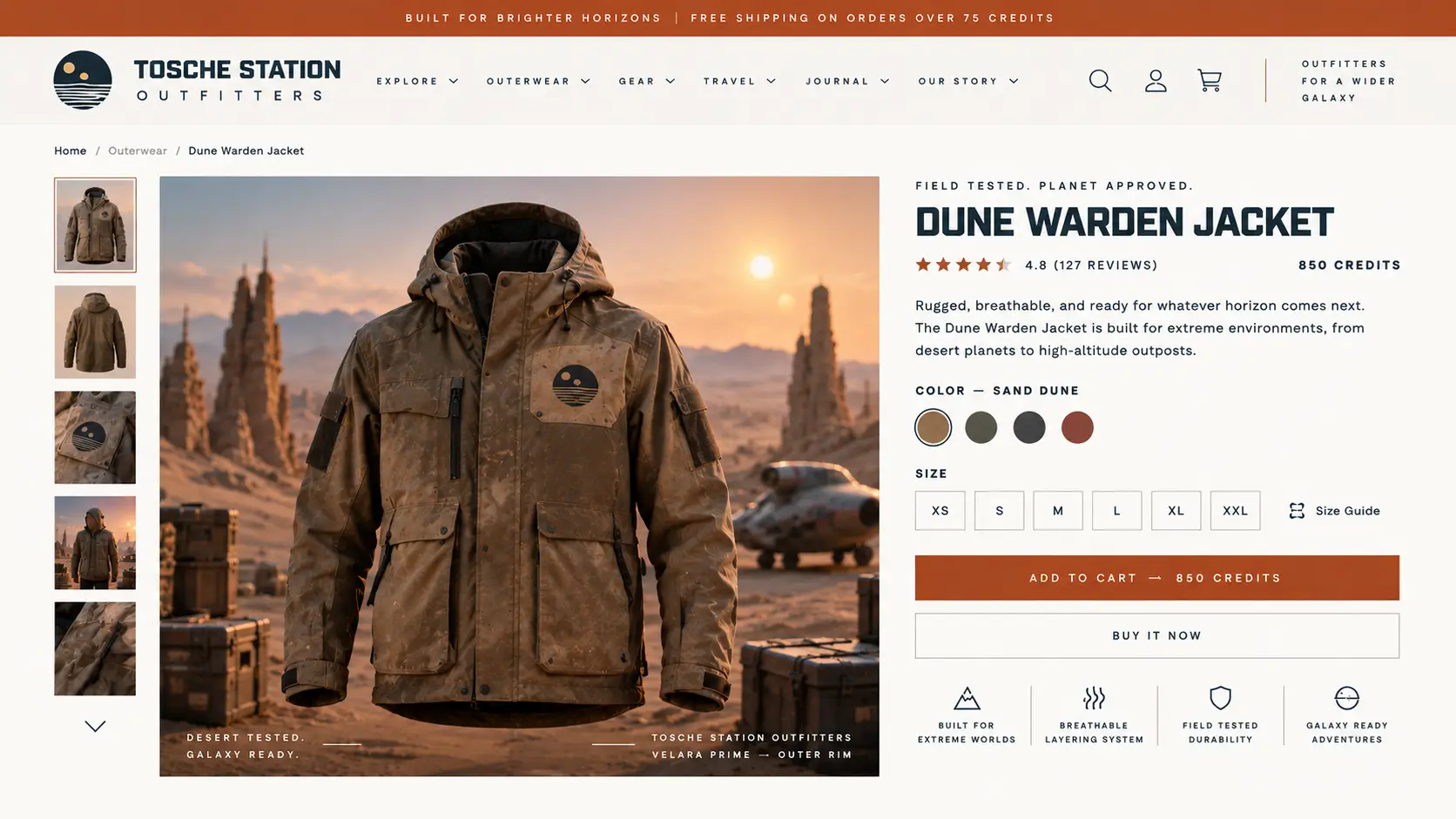
Monthly re-scans, diff reports, and remediation hours catch new violations.
Your monthly scan found new issues
Total violations moved from 8 to 13 since the February baseline. Two of the new findings are critical.
What changed
Likely cause: a theme app embed was installed on the collection template between scans. Full diff and the failing selectors are in your report.
View the full report
Demand letters, legal reviews, and failed audits all create the same problem: your team needs to know what is broken, what to fix first, and how to prove progress. We turn accessibility pressure into a prioritized remediation plan your developers and legal team can both use.
We separate noisy scan output from the issues that matter most: blocked buying paths, keyboard traps, missing labels, checkout friction, and statement gaps.
Our team remediates in your Shopify theme or app surface with code-level changes, not overlay scripts or generic recommendations.
You get a clean audit trail with findings, fixes, screenshots, retest notes, and accessibility statement language your legal team can review.
The free scan samples up to 100 storefront pages, not every URL in your catalog. We always try to open home, cart, search, contact, one collection, and one product page, then fill the rest of the budget across other templates (blog, account, landing pages). Findings are grouped as template-level (theme-wide) vs page-specific so you can fix shared Liquid once.
Start with a free scan or talk to us about audit and remediation work.
Work email required for report delivery.
Cascadia Marquee provides accessibility consulting and development services. We are not a law firm and do not provide legal opinions or guarantees regarding ADA compliance. Accessibility is a continuous obligation; conformance is assessed at the time of audit.